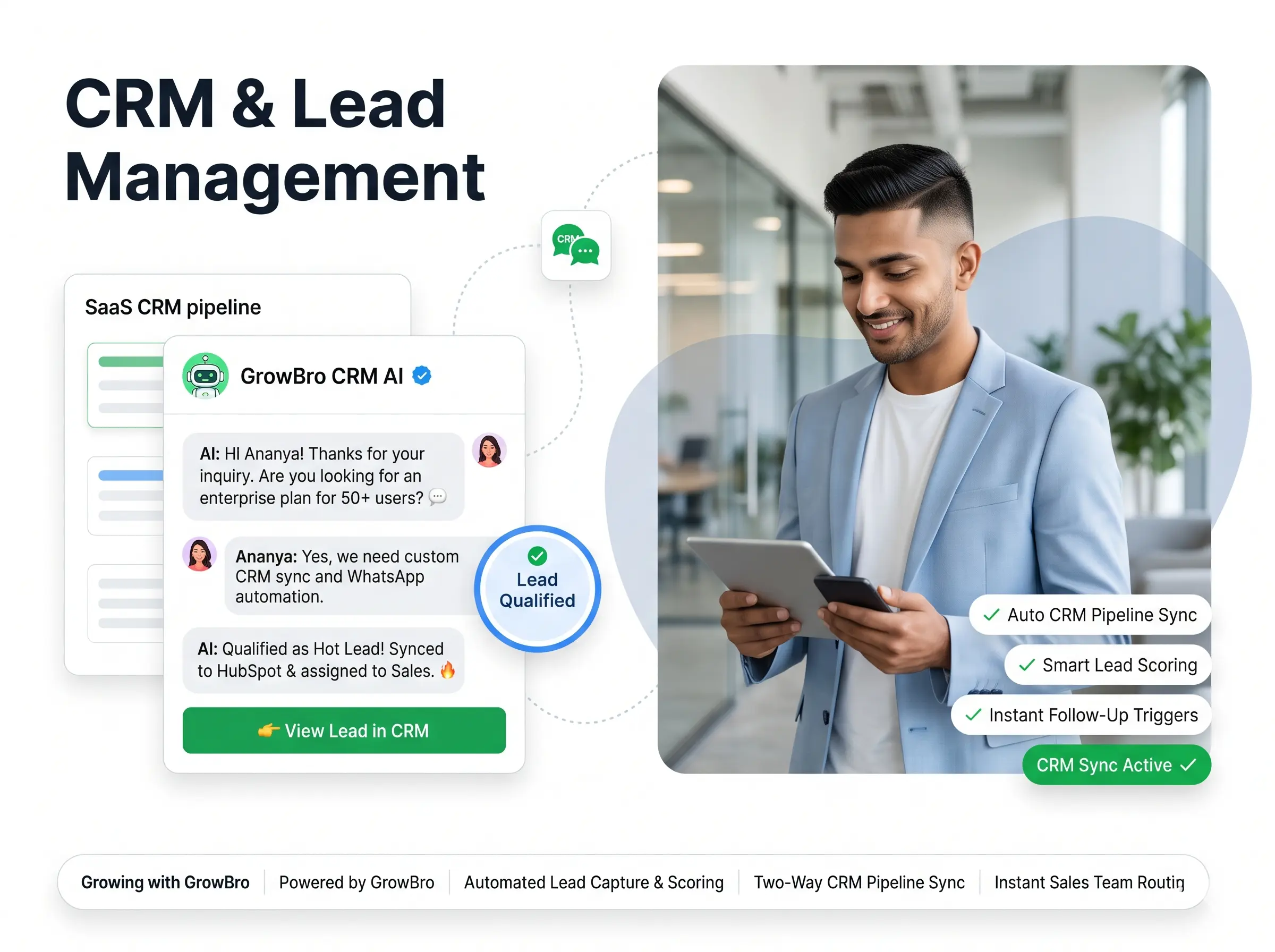






CRM & Lead Management

Every Lead. Every Conversation. One Connected View.

Turn Scattered Enquiries Into an Organized Sales Process.

Customer enquiries often arrive through WhatsApp, Instagram, website forms and other channels. When the information stays disconnected, teams lose context and follow-ups become harder to manage.

Growbro helps businesses connect supported customer conversations with lead capture, qualification, follow-up workflows and CRM integrations.

Growbro lead management workflow with connected customer conversations

Trusted by 2000+ businesses

3 Square Marketing
Accurate Ampere
Achivia
Beyond Seen
Bharat Marble Company
DigiVeritaz
Divine Talk
ELT Corporate
Inflyix
Kamkus College of Law
Keddy Edtech
Laxsho
IHM Rohtak
Mythri Tours and Travels
Nubra
Prochem
Reverse Thought Studio
Simple Energy
The Cure Cabin
3 Square Marketing
Accurate Ampere
Achivia
Beyond Seen
Bharat Marble Company
DigiVeritaz
Divine Talk
ELT Corporate
Inflyix
Kamkus College of Law
Keddy Edtech
Laxsho
IHM Rohtak
Mythri Tours and Travels
Nubra
Prochem
Reverse Thought Studio
Simple Energy
The Cure Cabin
Key capabilities

Manage the Journey From Enquiry to Opportunity

From the first message to the next sales action, keep enquiries organized and connected to the tools your team already uses.

Capture Leads

Bring relevant enquiries from supported connected channels into your lead-management workflow.

  • Collect enquiries from supported connected channels
  • Gather contact details through guided conversations
  • Keep new enquiries in one lead-management workflow

Qualify Prospects

Collect requirements and understand customer needs through configured AI and sales workflows.

  • Ask the qualification questions you configure
  • Collect requirements inside the conversation
  • Help your team focus on relevant enquiries

Organize Customer Information

Keep relevant contact information and available conversation context accessible.

  • Keep relevant contact information together
  • Access available conversation context
  • Reduce switching between separate tools

Automate Follow-Ups

Configure reminders and follow-up workflows to help your team respond consistently.

  • Configure reminders for your team
  • Set up follow-up workflows for enquiries
  • Respond more consistently across leads

Connect Your Existing CRM

Integrate supported systems such as Zoho CRM and HubSpot where available, reducing disconnected data entry.

  • Work with supported systems such as Zoho CRM and HubSpot
  • Share relevant lead information with connected tools
  • Reduce disconnected data entry

Track Lead Progress

Use available pipeline and activity information to understand where opportunities stand.

  • Use available pipeline and activity information
  • See where each opportunity stands
  • Keep the journey visible to your team
How it works

One Connected Sales Journey

Keep the journey visible to your team and connect the right information to the systems you already use.

1

New enquiry arrives

A customer reaches out through a supported connected channel.

2

Lead is captured

Contact details and the enquiry are saved to your lead-management workflow.

3

Requirements are collected

Configured AI and sales workflows ask the questions you define.

4

Follow-up is scheduled

A reminder or follow-up workflow is configured for your team.

5

Demo, next action and outcome

Move toward a demo or next step and keep the sales outcome visible alongside the systems you already use.

Use cases

Lead Management in Real Conversations

See how enquiries turn into organized leads, from the first message to the next step.

Capture Leads From Every Enquiry

Bring relevant enquiries from supported connected channels into your lead-management workflow instead of leaving them scattered across inboxes.

  • Collect contact details in the conversation
  • Save the enquiry with its context
  • Keep new leads in one workflow
B

Bluebird Furnishings

online

Hi, I saw your sofa collection. Can someone help me choose?
10:02 AM✓✓
Hi! Happy to help. I can note a few details so our team can follow up. What is your name?
10:02 AM
Riya
10:03 AM✓✓
Thanks, Riya. Which room are you furnishing?
10:03 AM
Living room
10:03 AM✓✓
Got it. Your enquiry has been saved.

Enquiry saved

Riya - Living room - Sofa collection

Talk to our team
10:04 AM
Message

Qualify Prospects Before Your Team Steps In

Collect requirements through guided questions so your team starts every conversation with the right context.

  • Ask the questions you configure
  • Collect needs, timeline and preferences
  • Share a clear summary with your team
C

Crestview Interiors

online

I want to redesign my apartment.
2:10 PM✓✓
Great! A few quick questions so our designer can prepare. Which rooms are included?
2:10 PM
Kitchen and living room
2:11 PM✓✓
And what timeline are you considering?
2:11 PM
Within two months
2:11 PM✓✓
Thank you. Here is the summary for our team.

Requirements collected

Kitchen + living room - Within 2 months

Book a consultation
2:12 PM
Message

Keep Customer Context in One Place

Keep relevant contact information and available conversation context accessible, so customers do not have to repeat themselves.

  • Recognise returning enquiries
  • Keep earlier details with the conversation
  • Add updates to the same enquiry
H

Harvest Catering

online

Hi, following up on my enquiry from last week.
12:30 PM✓✓
Welcome back, Meera! Here is what we have on your earlier enquiry.

Earlier enquiry

Team lunch - 25 guests

Update details
12:30 PM
Can we move it to Friday?
12:31 PM✓✓
Noted. I have added the change so our team sees it with your enquiry.
12:31 PM
Thanks!
12:32 PM✓✓
Message

Follow Up Consistently

Configure reminders and follow-up workflows so no enquiry is left waiting for a response.

  • Schedule callbacks and reminders
  • Set follow-up workflows for enquiries
  • Keep the next step clear for your team
B

Beacon Language Academy

online

I would like to know about the evening Spanish course.
5:30 PM✓✓
Evening batches are available. Would you like a callback from our team?
5:30 PM
Yes, tomorrow after 5 please.
5:31 PM✓✓
Done. Your callback request has been noted.

Follow-up scheduled

Callback - Tomorrow, after 5 PM

Change time
5:31 PM
Perfect, thank you.
5:32 PM✓✓
Message

Keep Your CRM Connected

Pass relevant lead information to supported CRM tools such as Zoho CRM and HubSpot, where available, and reduce disconnected data entry.

  • Share relevant lead details with connected tools
  • Reduce manual copy-paste between systems
  • Keep the sales journey visible to your team
C

Cobalt Software Services

online

I would like a demo of your inventory tool.
11:05 AM✓✓
Sure! Please share your work email and company name.
11:05 AM
dana@example.com, Fieldstone Ltd
11:06 AM✓✓
Thanks, Dana. Your details are shared with our team's connected CRM workflow.

Lead shared with CRM

Dana - Fieldstone Ltd - Demo request

Pick a demo slot
11:06 AM
Great, thanks!
11:07 AM✓✓
Message
Real-world example

One Conversation. One Connected Lead Record.

See how a configured agent can capture lead details in chat, keep the context together and pass it to your CRM tools.

  • Details captured in chat

    The agent can ask the questions you set up, such as budget, location or timing, during the conversation.

  • Passed to your CRM tools

    Configured workflows can send lead details to supported tools such as Zoho CRM, HubSpot and Google Sheets.

  • Your team sees the context

    Your team can follow up with the conversation history in one place instead of starting from scratch.

Integrations

Connect the Systems You Already Use

Work with supported CRM and productivity tools where available. Availability depends on your setup and configuration.

Customer channels

Growbro
AI Agent

Your business tools

ZHGG

Business tools

Share conversation details with the tools your team uses.

  • ZZoho CRM
  • HHubSpot
  • GGoogle Sheets
  • GGoogle Calendar

Need a different tool? Ask our team

Your CRM Should Work With Your Conversations.

Connect customer engagement and lead management without forcing every team to operate in separate tools.

  • Free to get started
  • No credit card needed
  • Setup in minutes
Got questions?

Frequently Asked Questions

Common questions about lead management, follow-ups and CRM integrations.