


Automation & Integrations

Connect Your Tools. Automate the Work Between Them.

Make Your Customer Workflows Work Together.

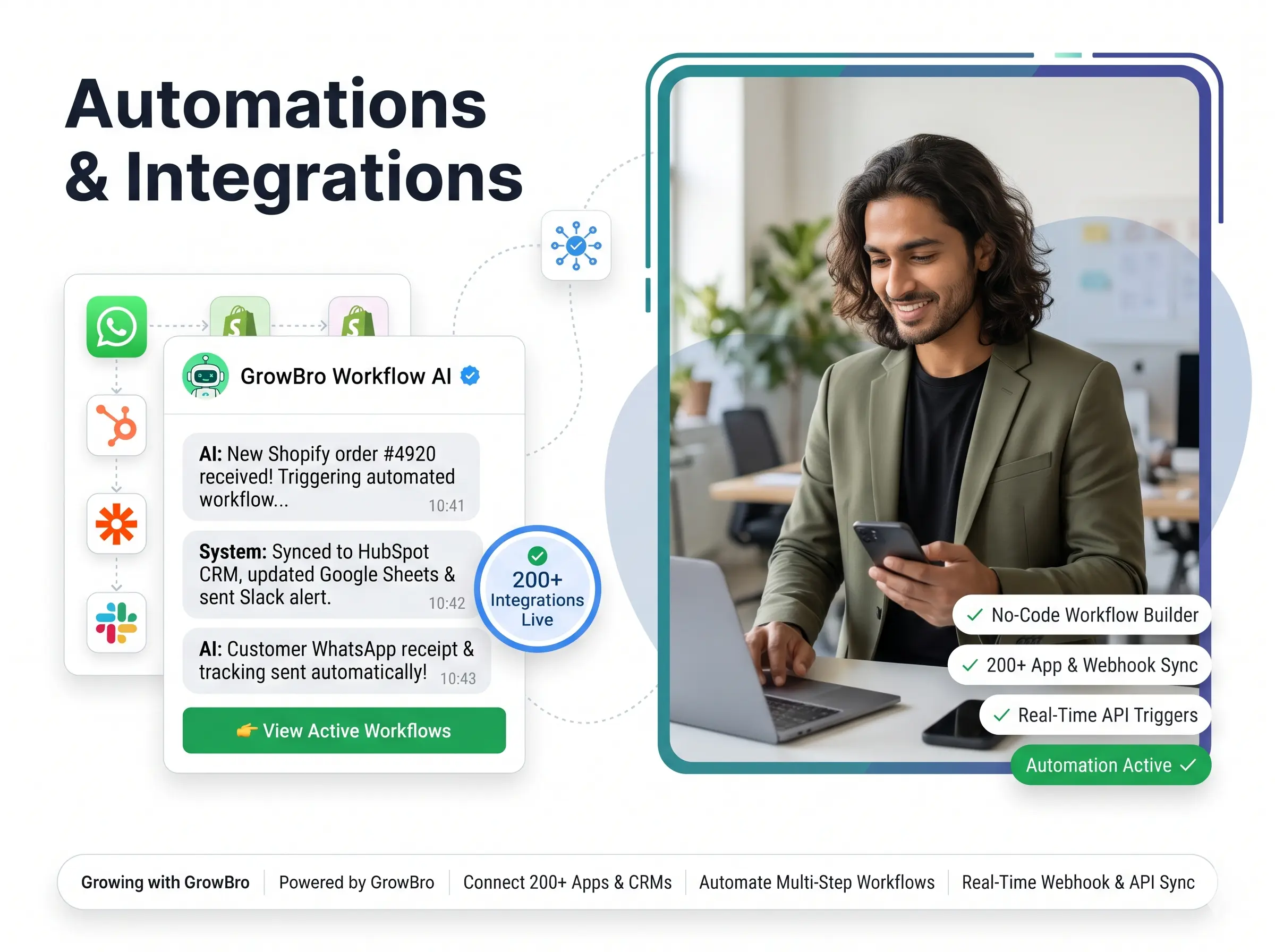
Businesses use different tools for messaging, customer data, ecommerce, bookings and payments. Growbro helps connect supported channels and integrations so information and actions can move through a more consistent workflow.

Configure your AI agent, connect the tools you use and automate repetitive steps in the customer journey.

Growbro integration directory and a connected customer workflow

Trusted by 2000+ businesses

3 Square Marketing
Accurate Ampere
Achivia
Beyond Seen
Bharat Marble Company
DigiVeritaz
Divine Talk
ELT Corporate
Inflyix
Kamkus College of Law
Keddy Edtech
Laxsho
IHM Rohtak
Mythri Tours and Travels
Nubra
Prochem
Reverse Thought Studio
Simple Energy
The Cure Cabin
3 Square Marketing
Accurate Ampere
Achivia
Beyond Seen
Bharat Marble Company
DigiVeritaz
Divine Talk
ELT Corporate
Inflyix
Kamkus College of Law
Keddy Edtech
Laxsho
IHM Rohtak
Mythri Tours and Travels
Nubra
Prochem
Reverse Thought Studio
Simple Energy
The Cure Cabin
Key capabilities

Connect the Tools Behind Your Customer Journey

Bring your channels, customer data, store, calendar and payments into one more consistent workflow, subject to supported integrations and configuration.

Messaging Channels

Connect supported WhatsApp, Instagram, Facebook Messenger and website chat workflows.

  • Work with supported messaging channels
  • Keep customer conversations connected to your workflows
  • Availability depends on your account and permissions

CRM & Customer Data

Work with supported integrations such as Zoho CRM, HubSpot, Odoo and Google Sheets.

  • Share relevant lead information with connected tools
  • Reduce disconnected data entry
  • Keep customer data closer to the conversation

E-commerce

Connect Shopify and WooCommerce workflows where supported.

  • Connect supported store workflows
  • Link shopping conversations to the next step
  • Capabilities depend on the connected store

Bookings & Scheduling

Use supported Google Calendar and appointment workflows.

  • Capture booking and callback requests
  • Connect requests to supported scheduling workflows
  • Keep appointment steps inside the conversation

Payments

Connect supported payment workflows, including configured Razorpay integration.

  • Share payment links in the conversation
  • Use supported, configured payment workflows
  • Keep the payment step connected to the chat

AI-Powered Actions

Configure agents to respond, collect information and trigger supported business actions.

  • Let your AI agent respond with your business knowledge
  • Collect the information your workflow needs
  • Trigger the supported actions you configure
How it works

Automate Repetitive Workflows

Configure the steps once and let supported workflows handle the repetitive parts of the customer journey.

1

Capture a new customer enquiry

A customer reaches out through a supported connected channel.

2

Collect relevant information

The AI agent asks the questions you configure and gathers the details.

3

Route to the appropriate action

Guide the customer toward the next step that fits their request.

4

Create a booking or trigger a follow-up

Capture a booking or callback request, or trigger a configured follow-up.

5

Synchronize with a connected system

Share relevant information with a connected tool, subject to supported integrations.

Use cases

Automation in Real Conversations

See how a single conversation can capture details, trigger actions and update connected tools.

Capture and Collect Enquiries Automatically

Let your AI agent capture a new enquiry and collect the details your team needs, without manual back-and-forth.

  • Capture new enquiries from connected channels
  • Collect the details you configure
  • Hand over a clear enquiry to your team
Q

Quartz Fitness Club

online

Hi, I want to know about your annual membership.
9:12 AM✓✓
Sure! Let me note a few details first. What is your name?
9:12 AM
Rohan
9:13 AM✓✓
Thanks, Rohan. Which plan are you interested in?
9:13 AM
Annual plan
9:13 AM✓✓
Got it. Your enquiry has been captured.

Enquiry captured

Rohan - Annual plan

Talk to our team
9:14 AM
Message

Route Customers to the Right Action

Give customers clear next steps so each request goes toward the action that fits it.

  • Offer clear options in the conversation
  • Guide each request toward the right step
  • Reduce manual sorting for your team
P

Pinecone Electronics

online

I need some help.
1:05 PM✓✓
Sure! What would you like to do?

Choose an option

Pick what fits your request

Check an order
Talk to support
1:05 PM
Check an order
1:06 PM✓✓
Please share your order number and I will route this for you.
1:06 PM
Order 1042
1:07 PM✓✓
Thanks! I have passed this to the right workflow.
1:07 PM
Message

Create Bookings and Callback Requests

Capture booking and callback requests inside the conversation and connect them to supported scheduling workflows.

  • Capture booking and callback requests
  • Connect to supported scheduling workflows
  • Keep the next step clear for the customer
C

Cedar Hill Consulting

online

I would like to book a discovery call.
11:15 AM✓✓
Sure! Which day works best for you?
11:15 AM
Thursday afternoon
11:16 AM✓✓
Noted. Your request has been sent to the scheduling workflow.

Booking requested

Discovery call - Thursday afternoon

Change time
11:16 AM
Thank you!
11:17 AM✓✓
Message

Share Payment Links in the Conversation

Share a payment link through supported, configured payment workflows, so customers can complete the step without leaving the chat.

  • Share payment links in the chat
  • Use supported, configured payment workflows
  • Keep payment connected to the conversation
M

Marigold Crafts

online

I want to book the pottery workshop.
12:10 PM✓✓
Lovely! The workshop is on Saturday. Shall I share the payment link?
12:10 PM
Yes please
12:11 PM✓✓
Here is your payment link.

Pottery workshop

Saturday session - Secure your seat

Pay now
12:11 PM
Done, thanks!
12:13 PM✓✓
Message

Sync Information With Connected Systems

Synchronize relevant information with connected tools such as Zoho CRM, HubSpot or Google Sheets, subject to supported integrations and configuration.

  • Share relevant details with connected tools
  • Reduce manual copy-paste between systems
  • Keep your tools closer to the conversation
R

Redwood Realty

online

I am looking for a 2 BHK for rent.
10:00 AM✓✓
Sure! Please share your name and preferred area.
10:00 AM
Vikram, near the city centre
10:01 AM✓✓
Thanks, Vikram. Your details are shared with our connected system.

Synced to connected tool

Vikram - 2 BHK rental - City centre

View listings
10:01 AM
Great, thanks!
10:02 AM✓✓
Message
Real-world example

One Chat. Several Connected Actions.

See how a configured workflow can create bookings, record details and share links across supported tools from a single conversation.

  • Triggered by the conversation

    Workflows start from what the customer says, so routine steps happen without manual work.

  • Passed to supported tools

    Details can flow to supported tools such as Google Calendar, HubSpot and Razorpay, based on your setup.

  • Your team stays in the loop

    Anything that needs a person can be routed to your team, with the conversation context kept together.

Integrations

Connect the Systems You Already Use

Work with supported tools across CRM, ecommerce, scheduling and payments. Availability depends on your setup and configuration.

Customer channels

Growbro
AI Agent

Your business tools

ZHOGSWGR

Business tools

Share conversation details with the tools your team uses.

  • ZZoho CRM
  • HHubSpot
  • OOdoo
  • GGoogle Sheets
  • SShopify
  • WWooCommerce
  • GGoogle Calendar
  • RRazorpay

Need a different tool? Ask our team

Less disconnected work. More connected customer experiences.

Growbro helps you connect customer conversations to the tools and actions your business already relies on, subject to supported integrations and configuration.

  • Free to get started
  • No credit card needed
  • Setup in minutes
Got questions?

Frequently Asked Questions

Common questions about integrations, workflow automation and supported tools.